How to Update the BluB0X Driver’s License Handler Certificate
Download and Import the Certificate
-
Download the Certificate, it should be a .pfx. Ex. Cert_2024.pfx. Please put the file in C:\BluB0X with other installation files. Select to download latest version: Cert_2024.pfx
-
Make sure you are logged in as an Admin
-
Double Click the Certificate
-
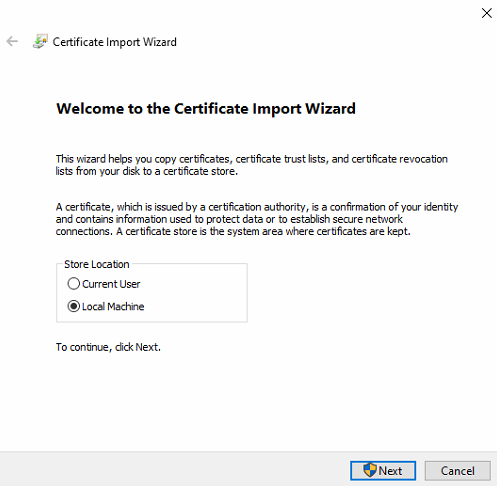
A popup will appear "Certificate Import Wizard"
-
Select "Next"
-
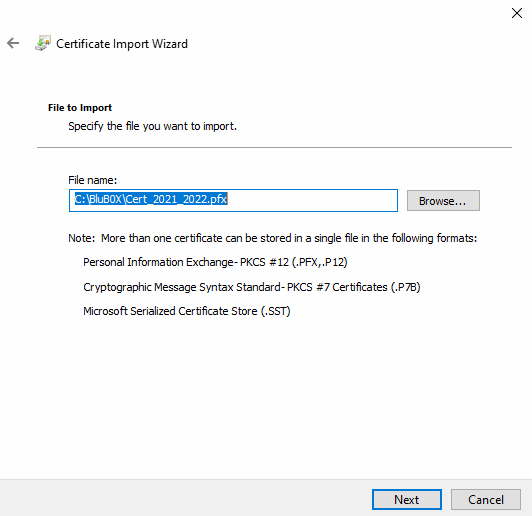
Select the Browse button and navigate to the Certificate and select "Next"
-
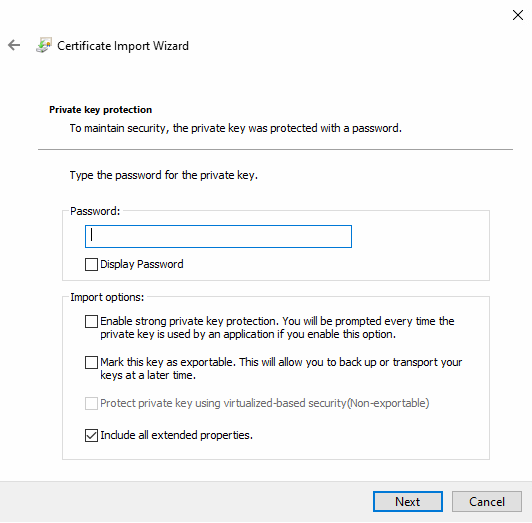
Add the password "newBoxer2013" and select "Next"
-
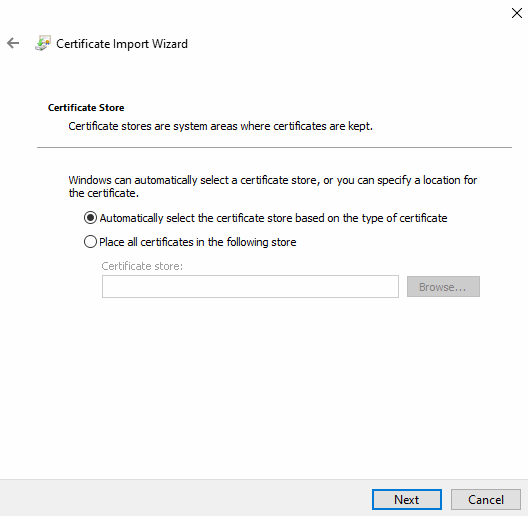
Select "Automatically select the certificate store based on the type of certificate" and select "Next.
-
Select Finish. The import is now finished.

Cleanup Old Certificates
-
Run Manage computer Certificates
-
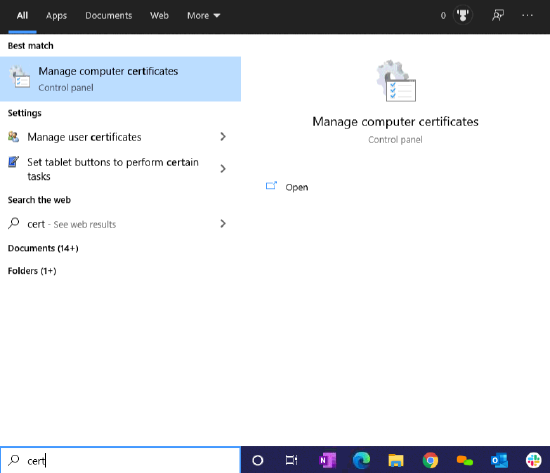
In Windows Button, type "Cert"
-
Select Manage computer certificates
-
Expand "Personal"
-
Expand "Certificates"
-
Remove Expired certificates
-
Right Click and select "Delete"
Open Command Window:
-
Open a command windows as an admin
-
Type in the following commands in the command window:
-
netsh.exe http delete sslcert ipport=0.0.0.0:9898 -
netsh.exe http add sslcert ipport=0.0.0.0:9898 certhash=90ee4aa6d461d784bb882cff4a938f42375bda68 appid={56328241-b4ff-4f1b-aba3-8881123fd1c0}
- Note:

- Sometimes the paste will not work, so you might need to copy the line and not include the last character.  You will need to add the last character manually.

##### Copy Vadim's Working License Scanner File Directory

- Download [this](/assets/files/BluB0xDriversLicenseHandler_da6460b41f85.zip "BluB0xDriversLicenseHandler.zip") zip file which contains the Drivers License Scanner directory. Navigate to "C:/Program Files (x86)/BluB0X" and rename the  current directory to include **.old** at the end
- Unzip the downloaded folder here in the same directory as the newly renamed .old folder.

##### Validate the new certificate is working.

- Test that the License scanner connector is working.  Bring up a browser, go to Visitor Admissions , Create.  F12, Networking.  You should see the getlicense command firing every second.
- Go into BluSKY, Create a new visitor and swipe a drivers license for the users name.

##### Issues:

1. If you get the following messaged

C:\WINDOWS\system32>netsh.exe http add sslcert ipport=0.0.0.0:9898 certhash=9e3f5c98563610c542a9d3cf8a7dce3781a68813 appid=\\\\\\\\{56328241-b4ff-4f1b-aba3-8881123fd1c0\\\\\\\\}

SSL Certificate add failed, Error: 1312
A specified logon session does not exist. It may already have been terminated.

**Answer:** Your Certificate does not have a Private Key. Need to get another certificate. Please contact BluB0X Support ([support@blub0x.com](mailto:support@blub0x.com "mailto:support@blub0x.com"))