Dde Floor Matrix
DDE Floor Matrix List
Screen Overview
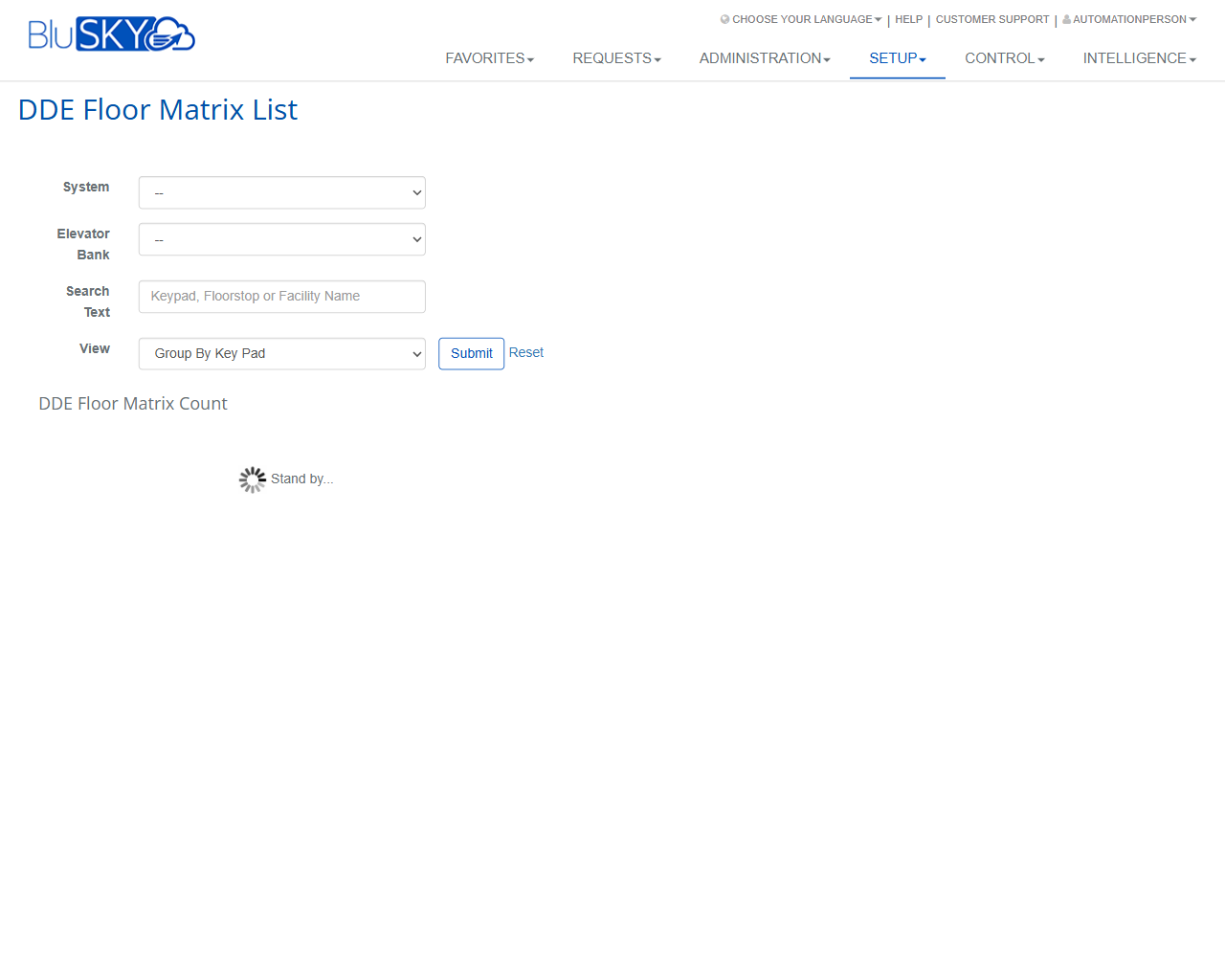
The DDE Floor Matrix List screen provides a searchable view of Destination Dispatch Elevator (DDE) floor mappings. Users can filter by System and Elevator Bank, search by keypad, floor stop, or facility name, and choose a view format (e.g., Group By Key Pad). Results display below the filters with a running DDE Floor Matrix Count.
Field Definitions
| Field Label | Definition | Notes |
|---|---|---|
| System | The BluSKY system instance whose DDE data you want to view. | Required for meaningful results. Determines which Elevator Banks are available. |
| Elevator Bank | The specific elevator bank within the selected System. | Optional. List is filtered by the chosen System. Select “--” to include all banks (if allowed). |
| Search Text | Free-text filter for Keypad, Floorstop, or Facility Name. | Optional. Matches entries containing the typed text. Case-insensitive; trims leading/trailing spaces. |
| View | Determines how results are grouped and displayed. | Options vary by site. “Group By Key Pad” is available and groups mappings by keypad identifier. |
| DDE Floor Matrix Count | Read-only indicator showing the number of records returned by the search. | Updates after Submit. Displays 0 when no records match or before a search is run. |
Screen Actions and Functions
- Submit – Executes the search using the selected filters and view; loads the floor matrix results and updates the count.
- Reset – Clears all fields back to defaults and removes any loaded results/count from the page.
Usage Instructions & Examples
How to find mappings for a specific keypad
- Select a System.
- (Optional) Select an Elevator Bank.
- In Search Text, enter the keypad name/ID.
- Set View to Group By Key Pad.
- Click Submit.
- Review the results and confirm the DDE Floor Matrix Count.
How to get a count of all mappings for a bank
- Select the appropriate System.
- Choose the target Elevator Bank.
- Leave Search Text blank.
- Choose the desired View.
- Click Submit.
- Note the DDE Floor Matrix Count to understand total mappings returned.
How to clear filters and start over
- Click Reset.
- Reapply filters as needed.
- Click Submit to run a new search.
System Behaviors and Edge Cases
- Elevator Bank options are filtered by the selected System; changing System refreshes the bank list.
- If Submit is clicked without selecting a System, the search typically returns no data.
- While results are loading, a “Stand by...” spinner appears.
- Search Text matching is case-insensitive and ignores leading/trailing spaces.
- When no records match the criteria, the results area remains empty and DDE Floor Matrix Count shows 0.
- Very large result sets may load more slowly; keep filters specific to improve performance.
- Reset restores default values (e.g., “--” selections) and clears any prior results from the page.
Permissions
- Accessible to users with Setup permissions for DDE/elevator configuration (e.g., Global Administrators or Tenant/Facility Administrators with DDE view rights).
- Users without the necessary rights will not see this page under Setup or will receive an access denied message.
- This screen is read-only for viewing and counting mappings; editing DDE mappings requires additional permissions on the relevant configuration screens.
Linked Workflows
- Configure Systems – Define and maintain the System that scopes DDE data.
- Manage Elevator Banks – Create/update elevator banks associated with the System.
- Configure Keypads (DDE) – Maintain keypad devices referenced by the matrix.
- Manage Floor Stops / Facilities – Keep floor/facility names consistent for accurate searching.
- Edit/Import DDE Floor Matrix – Perform bulk updates or detailed edits to mappings (where enabled).
Reference Image Links