Zero-Callback Deployment Checklist for Integrators
A Field-Tested Guide to Delivering Perfect Installs With BluB0X
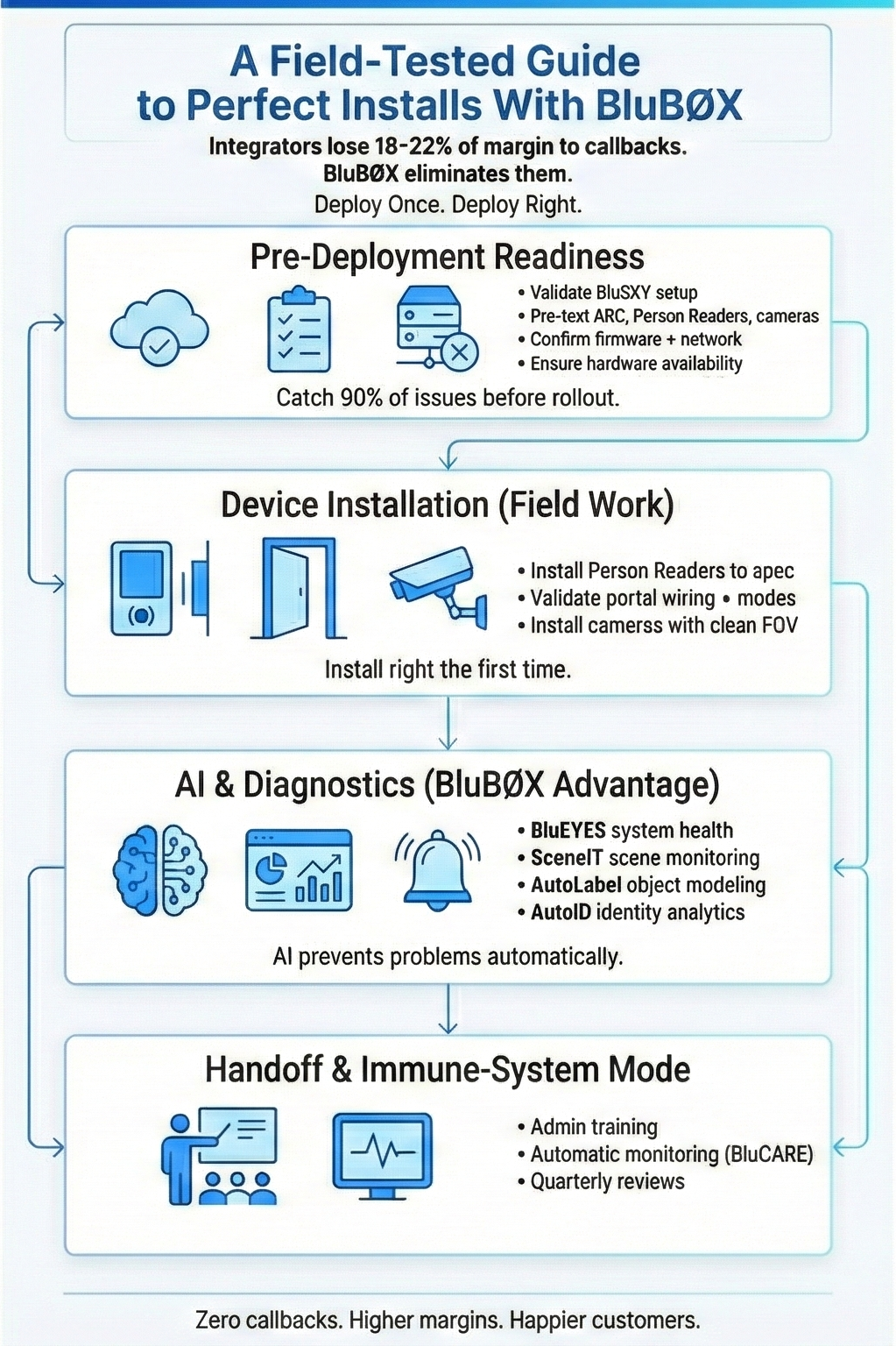
Introduction
Integrators lose an average of 18-22% of project margin to post-install service calls, unnecessary troubleshooting, and multi-vendor conflicts. The fastest way to grow margin, win repeat business, and improve customer satisfaction is simple:
Deploy systems that work the first time - and stay working.
This Zero-Callback Deployment Checklist is engineered for BluB0X integrators. It distills best practices from national deployments, BluCARE engineering guidance, field data from BluINFO, and AI-driven diagnostics from BluB0X’s unified platform.
Integrators who follow this checklist typically reduce callback rates to near zero - even in enterprise, multi-building, and high-security environments.
Pre-Deployment Readiness
Catch 90% of problems before they ever hit the field.
1. Validate System Architecture in BluSKY
- Confirm all facilities, systems, and occupancies are created in BluSKY.
- Import hardware definitions using BluB0X’s Excel/CSV bulk onboarding tools.
- Ensure access levels, schedules, credentials, and person records are pre-populated or ready for SCIM/API sync.
BluB0X Advantage: Unified cloud architecture + pre-deployment data prep eliminates typical integrator rework during go-live.
2. Verify All Hardware in Advance
- Pre-test ARC controllers, Person Readers, cameras, portals, and relays.
- Confirm firmware levels via BluINFO device guides.
- Validate network settings, DHCP reservations, VLAN assignments.
BluB0X Advantage: ARC controllers auto-register with BluSKY, reducing field provisioning by ~70%.
3. Confirm 100% Product Availability Before Scheduling Labor
- Cross-check hardware against the BluB0X Product Lifecycle & Lead-Time Transparency Report.
- Ensure substitutions are approved before deployment.
Network & Infrastructure Checks
You cannot get zero callbacks without zero surprises.
4. Ensure Proper Network Segmentation
- Separate camera/NVR traffic, access control, and corporate networks.
- Verify latency and bandwidth baselines.
5. Confirm All Required Ports & Firewalls Are Open
- Use BluINFO’s integration checklists for ARC, Person Reader, Visitor, Video, and DDE.
- Validate outbound connections to BluB0X cloud endpoints.
6. Validate Time Synchronization Across Devices
- Misaligned clocks cause misaligned events, poor video correlation, and extended troubleshooting.
BluB0X Advantage: BluSKY’s unified event timeline requires perfect time alignment - the system alerts you if devices drift.
Device Installation - The Zero-Callback Standard
Every device installed right - the first time.
7. Install Person Readers to Manufacturer Specs
- Validate mounting height, angle, standoff distance, lighting.
- Check camera exposure, IR illumination, anti-spoof settings.
- Test card + mobile + facial pathways.
BluB0X Advantage: Person Readers self-diagnose and self-calibrate using AI (BluEYES).
8. Validate All Portal Wiring & Behavior
- REX, DPS, lock power, hold-open, fire interlocks.
- Confirm portal modes: locked, unlocked, scheduled, alarmed.
- Test tailgate, denied entry, forced door conditions.
9. Camera Installations: AI-Ready Setup
- Confirm field of view, height, lighting, backlighting, IR distance.
- Capture baseline snapshots for SceneIT and AutoLabel.
- Validate integration with BluSKY AVMS.
BluB0X Advantage: Cameras automatically feed racetrack, ROI, homography, and object-recognition pipelines.
Software & Cloud Configuration
Where most integrators eliminate callbacks.
10. Confirm All Access Levels & Schedules
- Bulk-validate using BluSKY’s Access Level tools.
- Confirm Person → Access Level → Portal mapping.
11. Validate Identity Sync (SCIM or API)
- Run provisioning/termination cycle tests.
- Confirm person types, photos, mobile credentials, visitor workflows.
12. Configure Event Rules, Alerts & Automations
- Tie alarms, forced doors, invalid reads, and other events to correct workflows.
BluB0X Advantage: One rule engine spans access, video, alarms, visitor, elevator, intercom, and AI analytics.
AI & Diagnostics for Zero Callbacks
Where BluB0X separates from every competitor.
13. Enable AI Diagnostic Pipelines
Activate BluEYES monitoring for:
- Reader performance
- Camera scene changes
- Object detection anomalies
- Motion outliers
- Elevator analytics
14. Enable AutoLabel & AutoID
- Register baseline objects and scenes.
- Validate automatic tagging of movable/immovable objects.
15. Activate SceneIT Monitoring
- Capture snapshots across time-of-day.
- Validate homography, racetracks, ROI mapping, background models.
BluB0X Advantage: AI performs continuous self-auditing - dramatically reducing site visits.
Final Validation - “The Day Zero Test”
If a customer can break it, they will. Simulate it now.
16. Perform Full Workflow Tests
Access → Video → Visitor → Elevator → Alarm → Intercom.
17. Conduct User Acceptance Simulation
- Run 10-20 realistic user workflows.
- Validate credentials, SSO paths, mobile keys, visitor routing.
18. Confirm All Reporting & Audit Trails
- Security logs
- Visitor logs
- Video associations
- Access audits
- Elevator events
Handoff & Immune-System Mode
Ensure the system stays healthy automatically.
19. Train Admins in BluSKY Best Practices
- Credential workflows
- Visitor workflows
- Facility tasks
- Reporting
- Mobile credential distribution
20. Enable Automatic Support & Monitoring (BluCARE)
- Activate health checks
- Confirm alert paths
- Schedule quarterly reviews
Summary + Call to Action
Deploy Once. Deploy Right. Never Go Back.
BluB0X’s cloud-native architecture, AI-driven diagnostics, and unified platform give integrators a rare advantage: systems that don’t generate callbacks.