December 2025
##
Dashboard Enhancements
a. Personalized Dashboard Views(“Me” Scoped):
i. Personal dashboards created by a user are now visible only to the creator (or BluB0X users), ensuring privacy and preventing other users from accessing them**.**
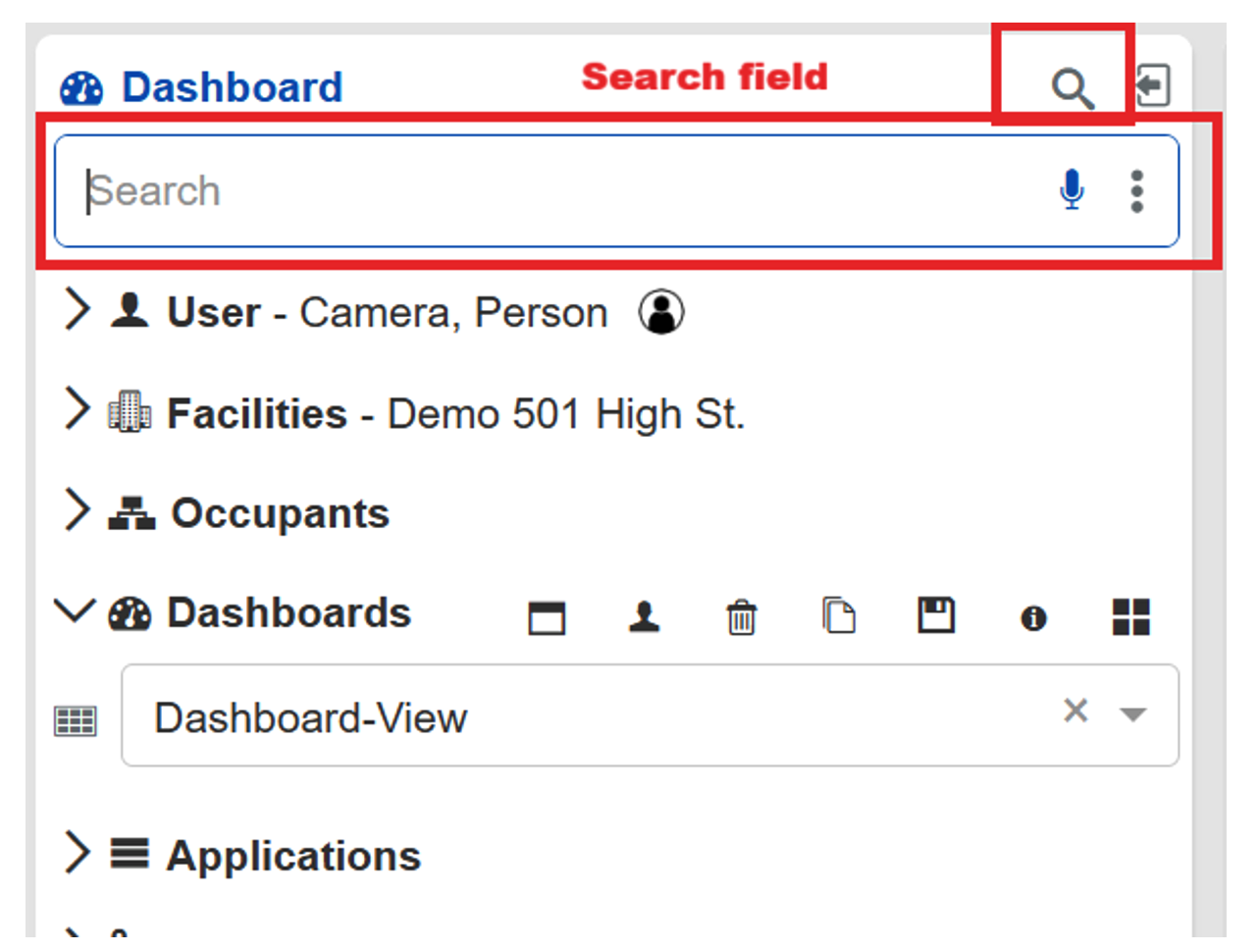
b. Search Field Improvements:
i. The Dashboard search field has been moved to the top of the page for better visibility.
ii. A search toggle has been added, allowing users to show or hide the search bar as needed.
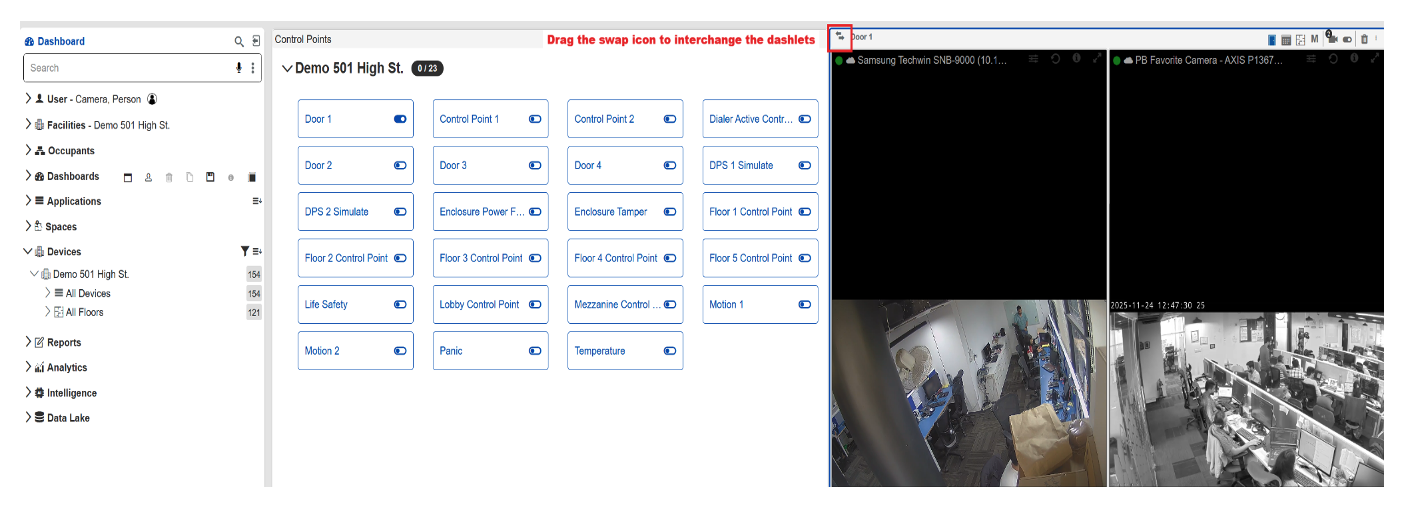
c. Dashlet Swapping:
i. Users can now swap dashlet content by dragging the swap icon from one dashlet header and dropping it onto another.
d. Enhanced Dashlet Headers:
i. Dashlet headers now appear larger and bolder on hover, improving clarity and visual recognition.
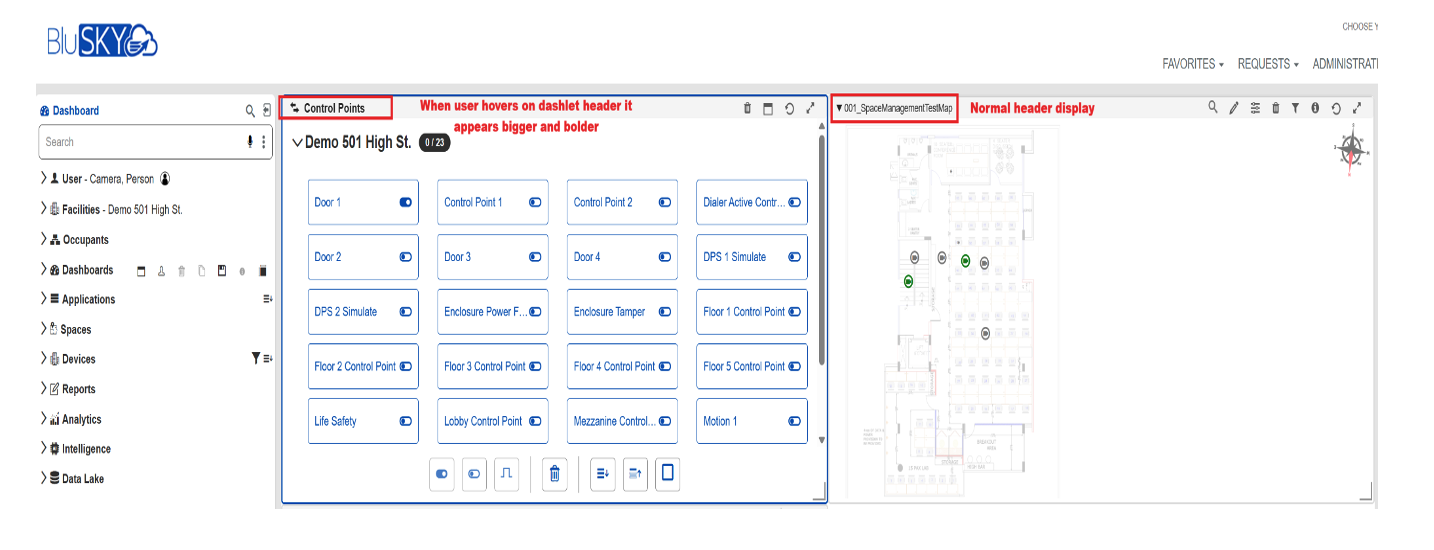
e. Improved Dashlet Borders:
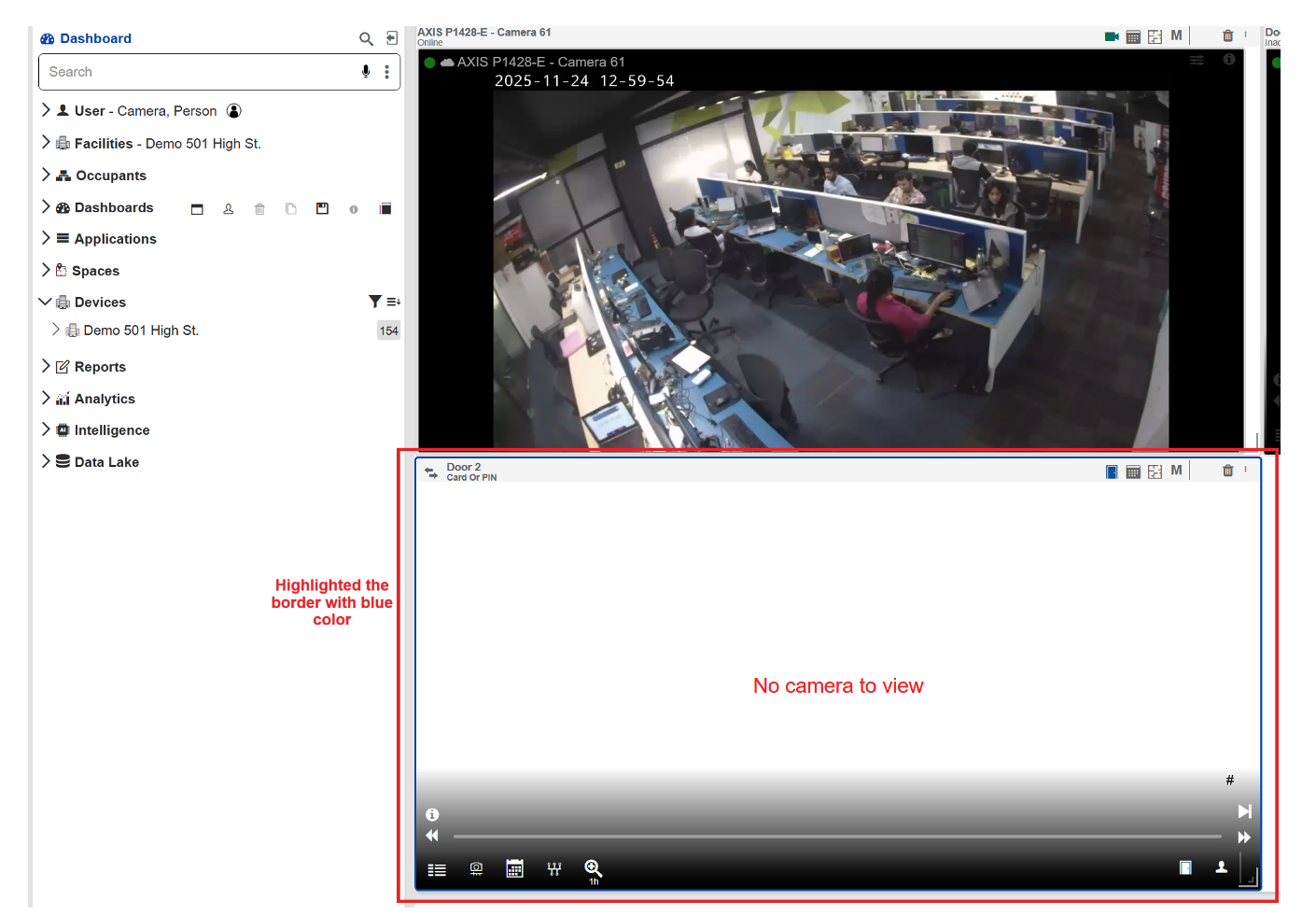
i. Dashlet borders are now thicker and more pronounced on hover, helping users easily identify the currently active dashlet.
f. Clear Device Options:
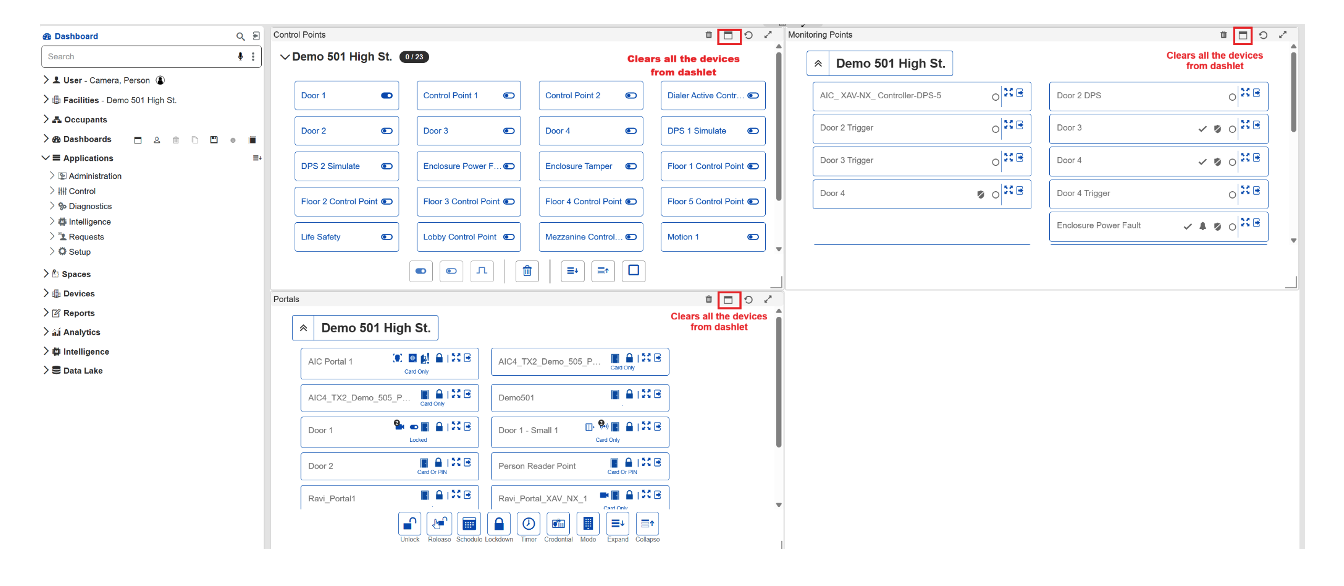
i. Added a “Clear All Devices” option to remove all devices from realtime device dashlets with a single click.
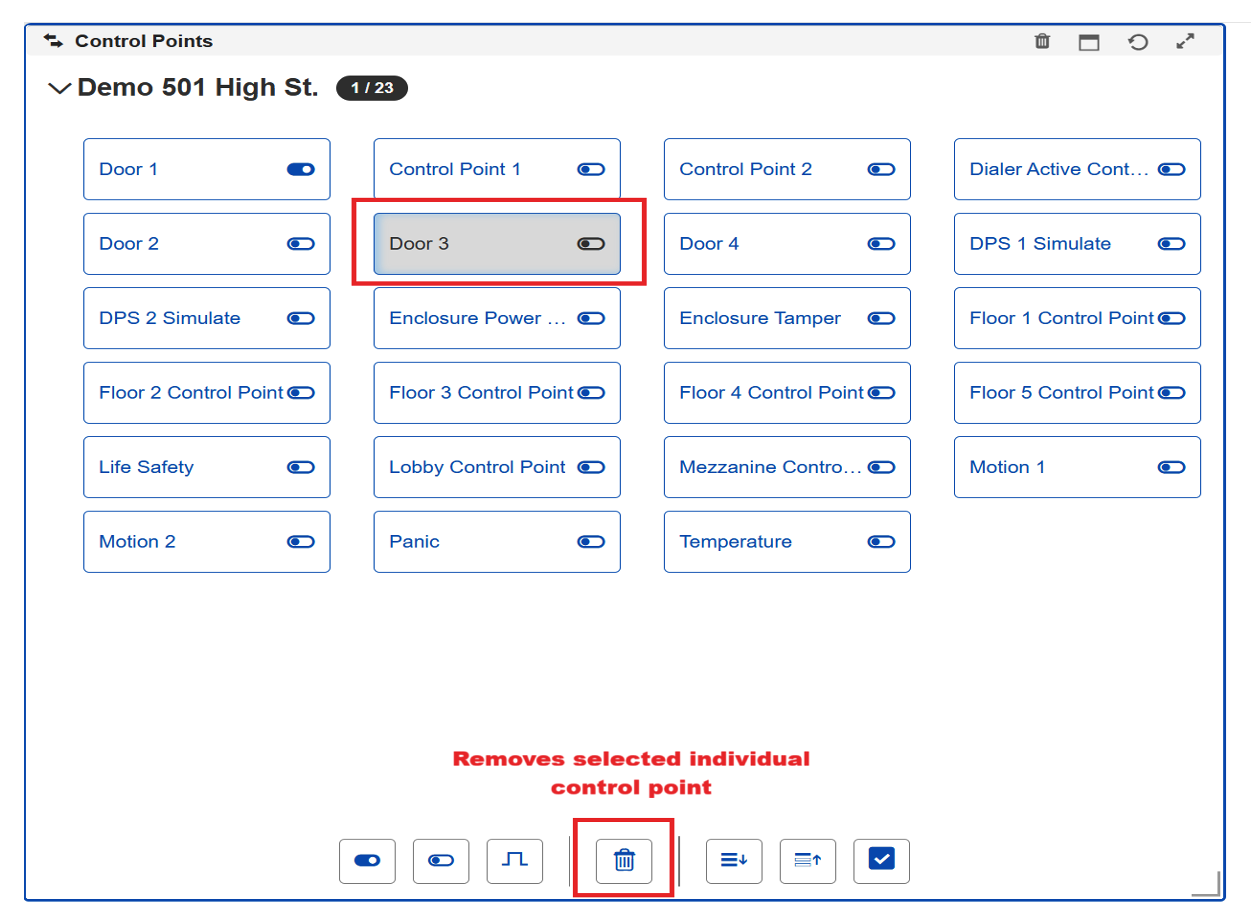
ii. Added a Remove button to delete individual Control Point devices from the realtime Control Points dashlet.
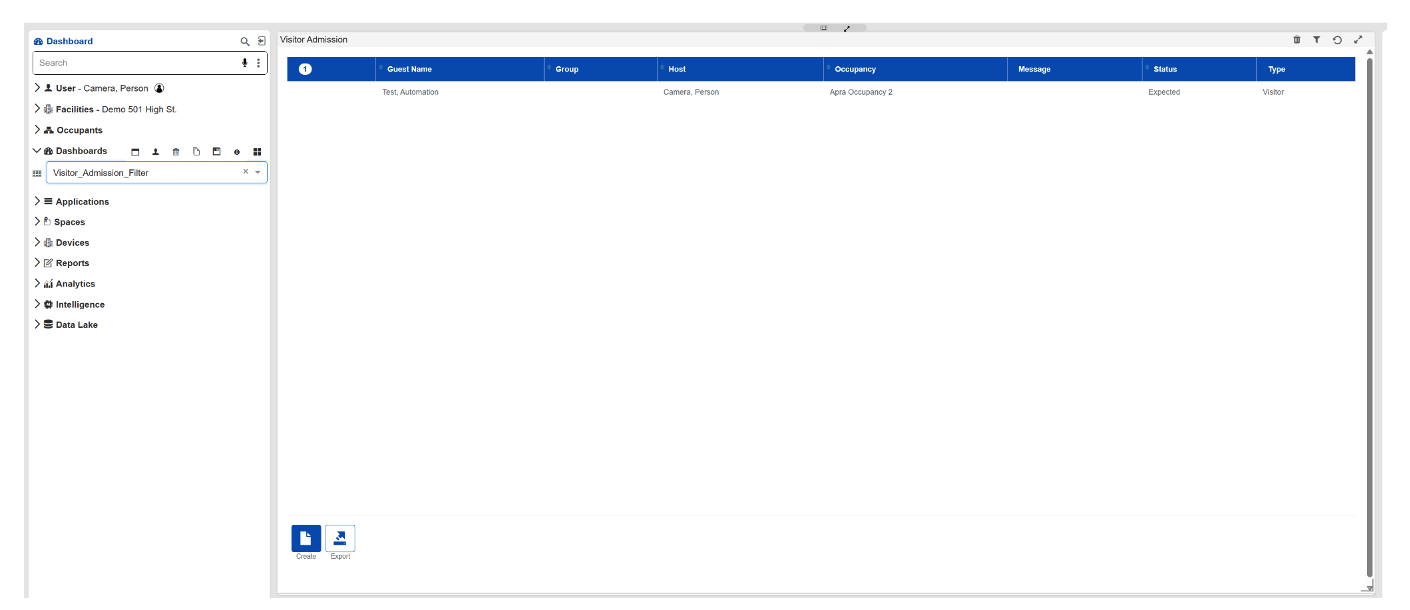
g. Visitor Admin Filter Persistence:
i. Filters applied in the Visitor Admin module are now saved with the dashboard and restored automatically when reloading, improving user convenience.
2. Alarm Priority
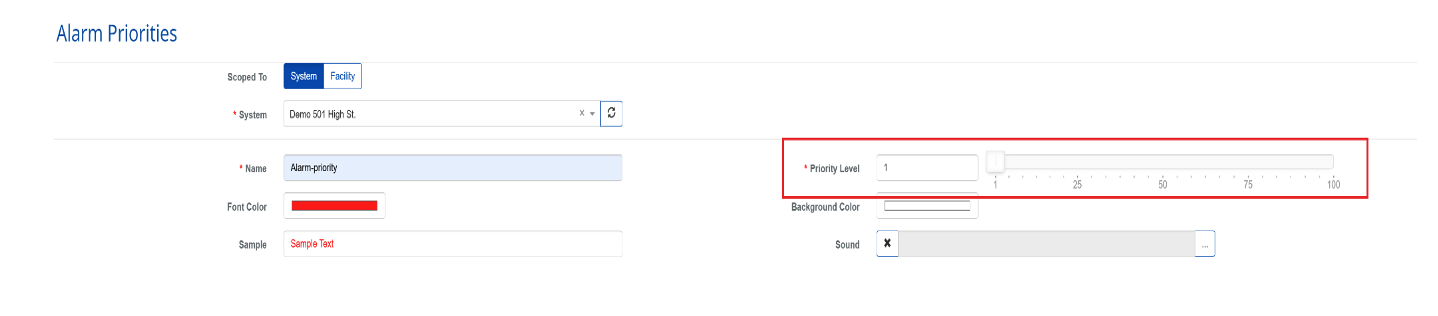
a. The default Alarm Priority value on the creation page is now automatically set to 1, simplifying setup and ensuring consistent configuration.
3. Snapshot Enhancements
a. Event Snapshot Handling:
i. Event snapshots are now captured as a single high-resolution image taken exactly at EventTime + 1 second.
ii. Manual video clip saves will no longer trigger additional snapshots, ensuring cleaner and more efficient event capture.
4. DataLake Folder Structure
a. Improved Floor Plan File Organization:
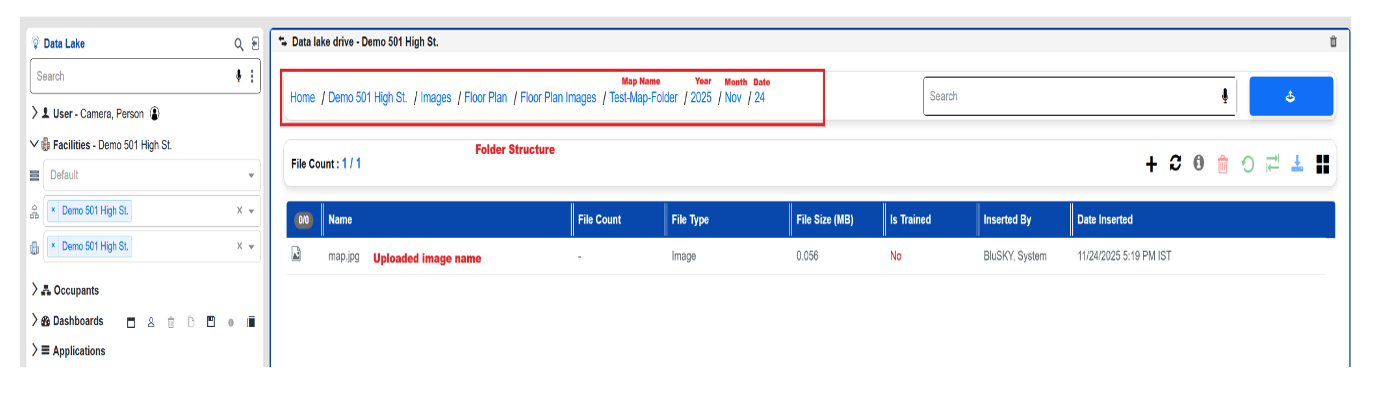
i. Implemented a new hierarchical folder structure in Datalake for Map Creator uploads, storing floor plan images and CAD files within Map Name-based folders organized by Year, Month, and Date.
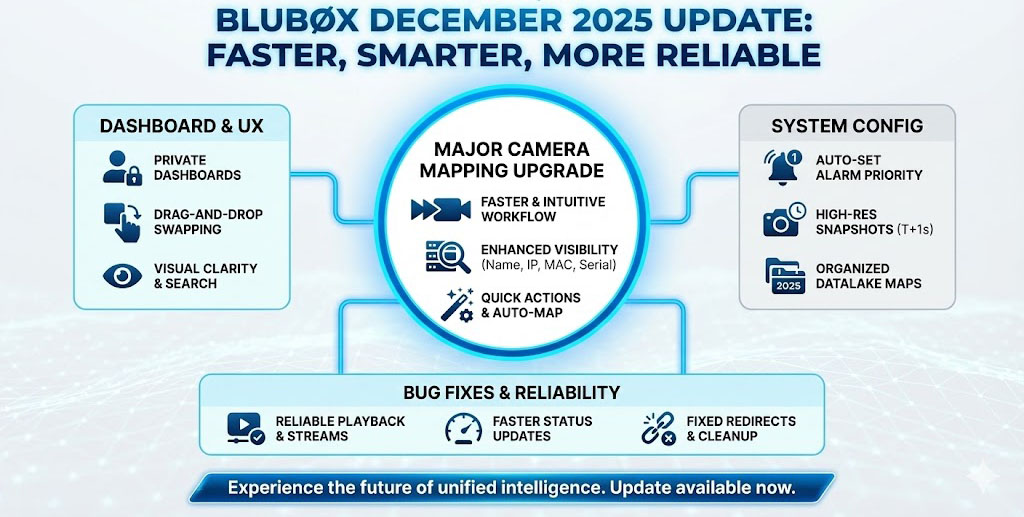
Enhanced Camera Mapping Experience
A major update to the Camera Mapping page delivers a more intuitive, efficient, and faster way to manage BluSKY ↔ NVR camera associations.
Key improvements:
- Faster and cleaner mapping workflow.
- Camera cards now show Name, IP, MAC, Serial when expanded.
- Improved Auto-Map accuracy using IP, MAC, Serial, or Name.
- Quick actions: Unmap All, Create BluSKY Camera, Go to Config, and Review Before Save.
- Better manual mapping with drag-and-drop or click-to-map.
- Updated search that filters across Name/IP/MAC/Serial.
- Camera counts now displayed on both sides.
IP & MAC Visibility
- IP and MAC addresses are now consistently shown across camera listings and reporting.
Bug Fixes:
- Motion clips now play reliably from all entry points.
- Dragging cameras to the dashlet no longer forces Playback mode.
- Live streaming now starts correctly in Live mode.
- Reduced delays and eliminated “BlobNotFound” errors in motion clip playback.
- Decommissioned sites no longer leave behind pending or orphaned video streams.
- Playback now works even when a camera is offline, and camera status updates much faster after device reboot (no more 5-10 minute delay).
- Control Points and Portals now redirect to the new Beta pages.
- Missing menu items under Applications → Control have been restored.
- Tooltip spacing for “Clear All Devices” has been fixed.
BBNVR - AVMS 3.2.2 is now released.
AVMS release focuses on fixing bugs which related to higher-resolution (5MP, 8MP), smoother high-speed playback, and key stability improvements across memory handling, snapshots, recording controls, and camera reconnections. These enhancements collectively deliver a more reliable and scalable video management experience.
New Features & Improvements
Enhanced Video Quality & Playback:
- Added support for higher-resolution cameras across Snapshots, Clip Export, and Playback, ensuring improved clarity and detail.
- Improved latency while switching to 4× playback speed, delivering smoother and more reliable high-speed review.
- Removed camera RTSP dependency during playback, allowing recorded video to play back independently of live camera availability.
Snapshot & Recording Improvements:
- Improved overall Snapshot service stability, reducing failures during image capture.
- Fixed issues with the Enable / Disable Recording functionality to ensure it behaves consistently as expected.
Performance & Reliability Enhancements:
- Improved memory management, reducing resource consumption and improving long-running system stability.
- Improved camera reconnection logic, enabling faster and more reliable recovery when cameras reconnect after temporary disconnections.