August 21, 2026
BluCARE Intelligence
a. Scope Resolution
-
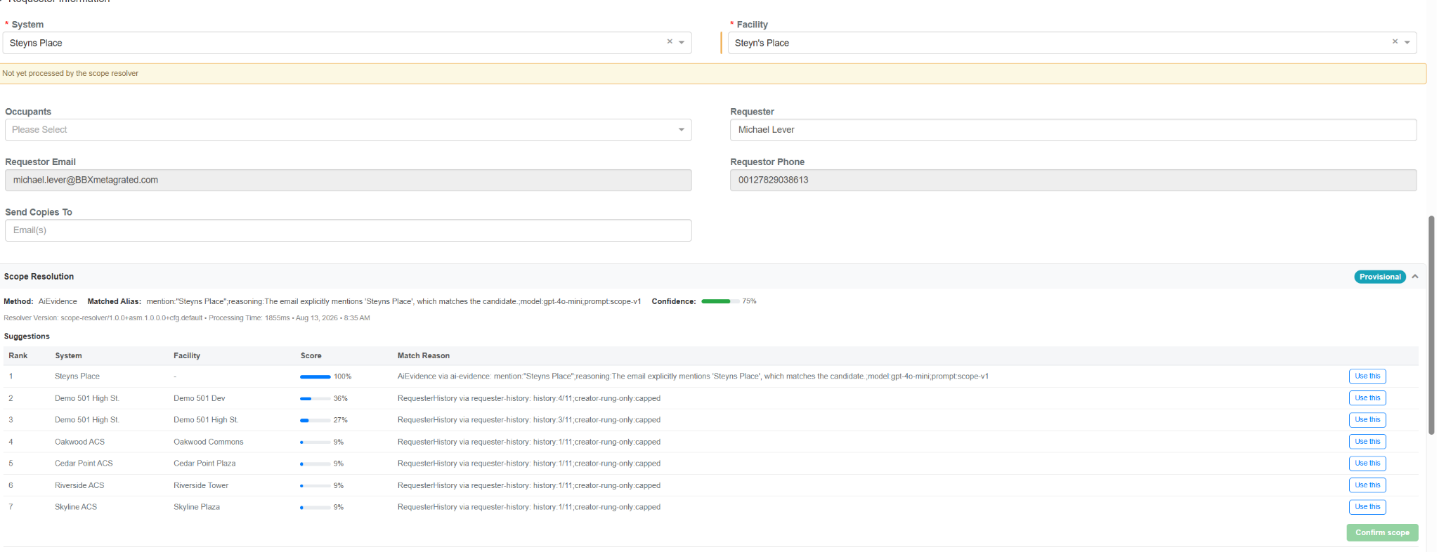
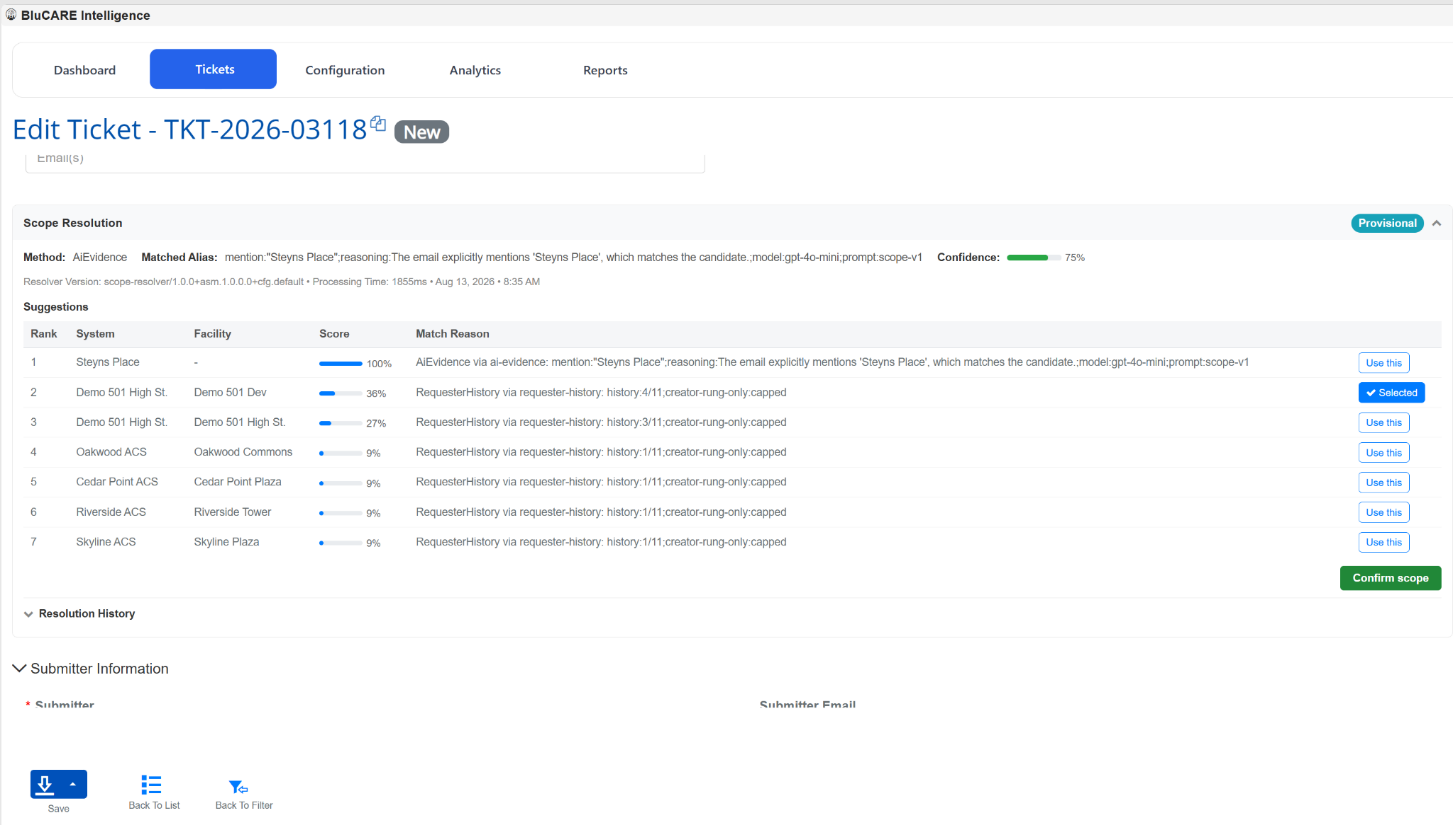
AI analyzes the email subject + email body + sender's scope to determine the appropriate System and Building.
-
AI calculates a weighted confidence score for the suggested scope.
-
Based on that score, the ticket gets one of four statuses:
- Auto Confirmed.
- Provisional.
- Pending Clarification.
- Unresolved.
-
Autoconfirmed tickets are automatically resolved.
-
Provisional, Pending Clarification, and Unresolved tickets require attention through the Unresolved Tickets area.
-
Users can select an AI-suggested System/Building candidate or manually select the correct System and Building.
-
Once the scope is manually resolved, the ticket becomes resolved and is removed from the Unresolved Tickets bucket.
-
If AI cannot determine a suitable scope, the ticket is assigned the Global System and Global Building as the fallback.
-
Only BB users can see unresolved tickets area.
NLC Power Controller Support
a. New NLC Model
-
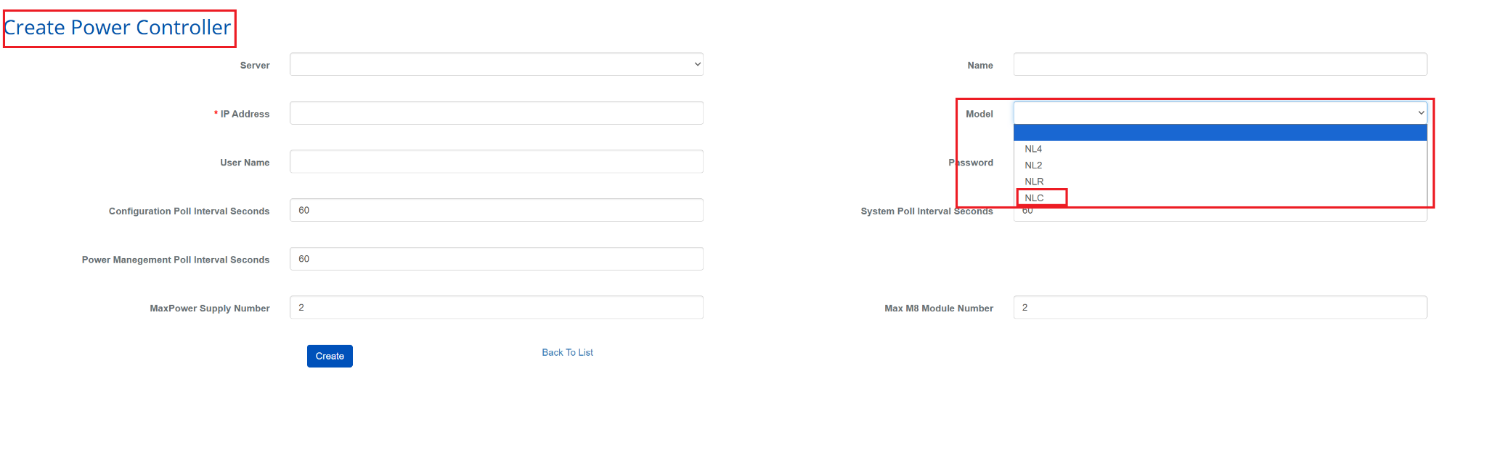
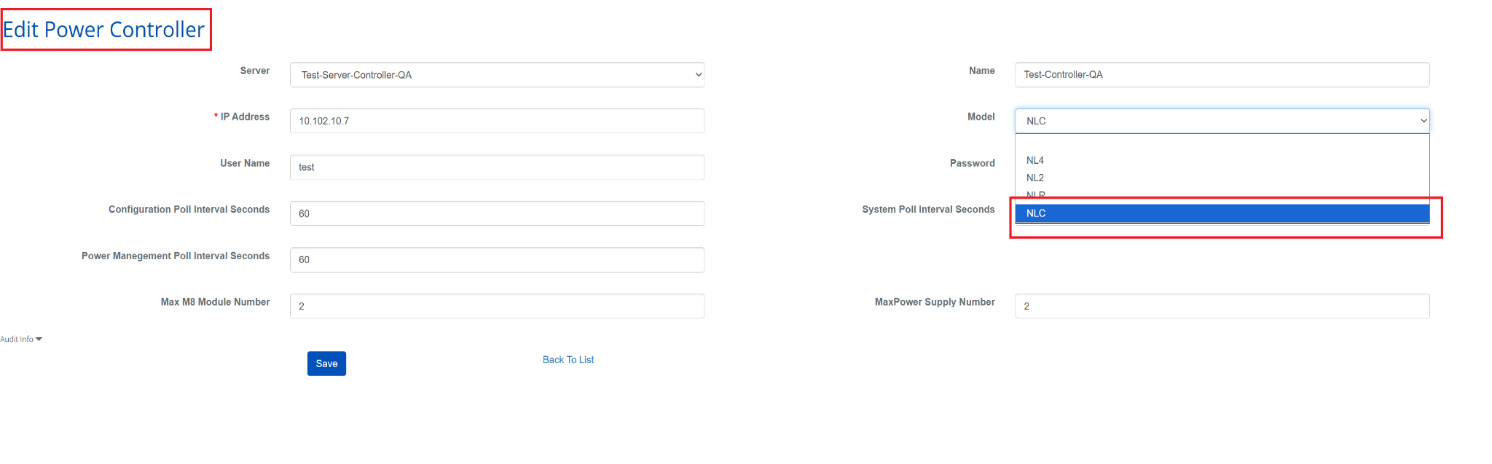
Added NLC as a new Power Controller model.
-
NLC is now available when creating or editing Power Controllers for users with the required permissions.
-
Existing NL4, NL2, and NLR models remain available.
-
NLC controllers can be saved and reopened with NLC retained as the selected model.
-
NLC is available only for Power Controllers and is not shown for other LSP device types.
-
Added appropriate permission and database validation to ensure NLC is available only where supported.
MP Controller Model Support in Board Info
a. Enhanced Board Info
-
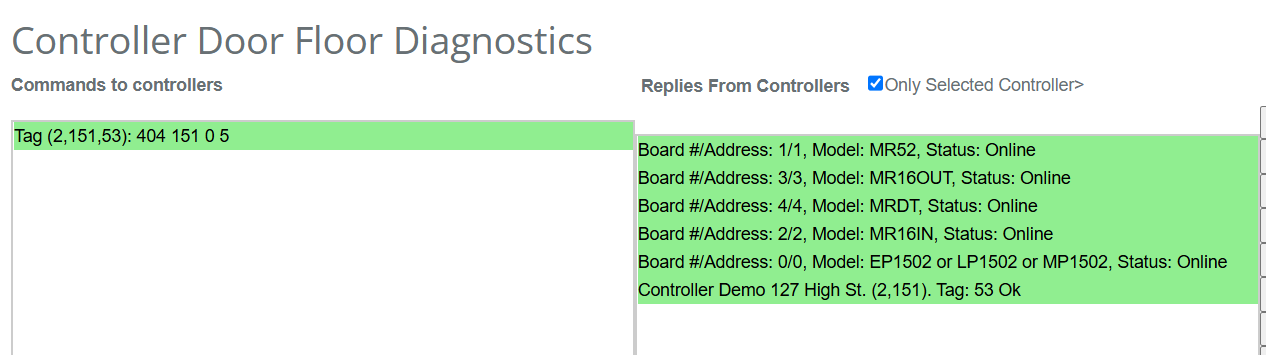
Enhanced Board Info to display the correct MP controller model name for supported MP controller families.
-
Updated model information to include the MP model name alongside existing EP/LP model names.
-
Extended model support for MP1501, MP1502, MP4502, and MP2500 controllers.
-
Updated firmware upgrade messages to display the same MP model information shown in Board Info.
-
Maintained existing behaviour for non-MP controllers and existing EP/LP models.
-
Improved compatibility across Mercury pages that use Board Info model information.
Facility Filter for Mercury Configuration Pages
a. New Facility Filter
-
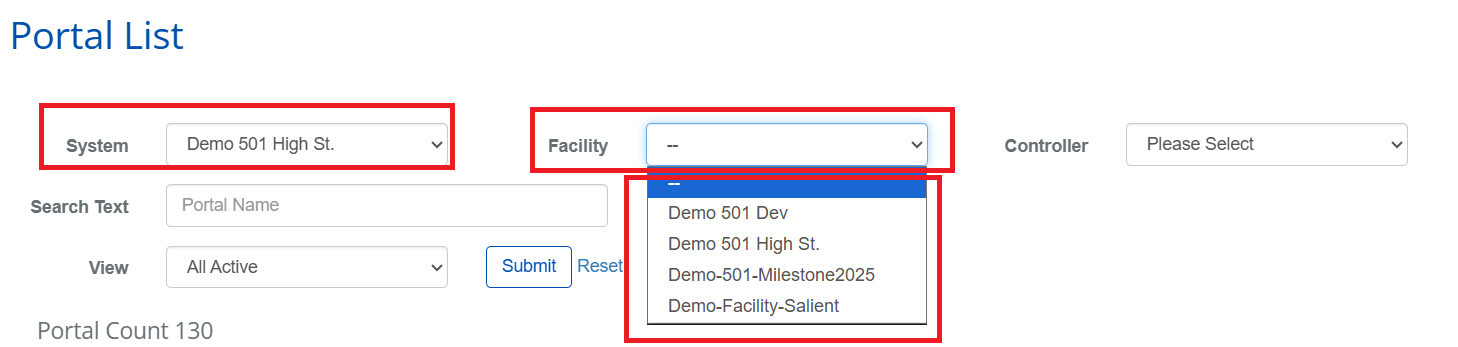
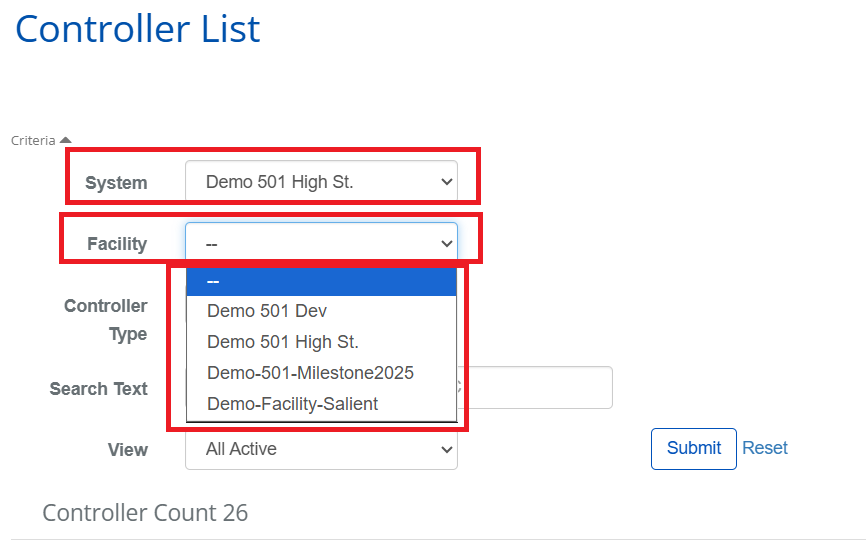
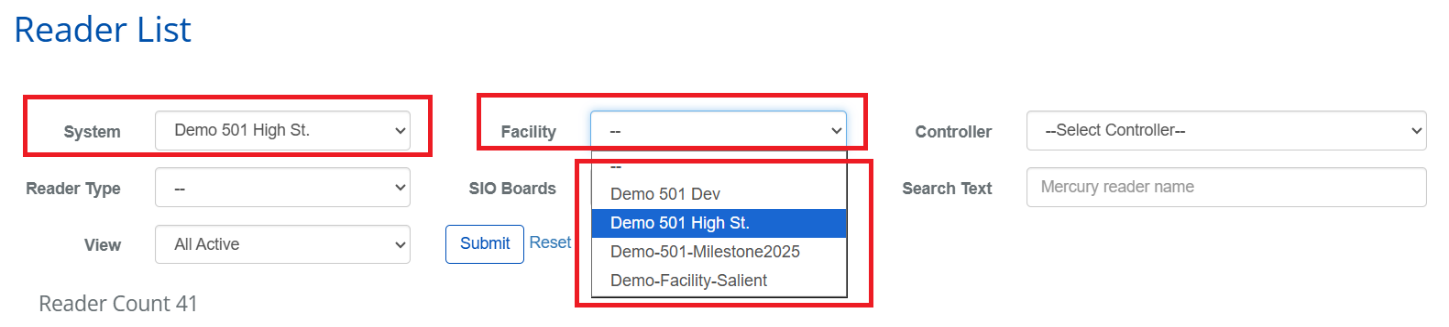
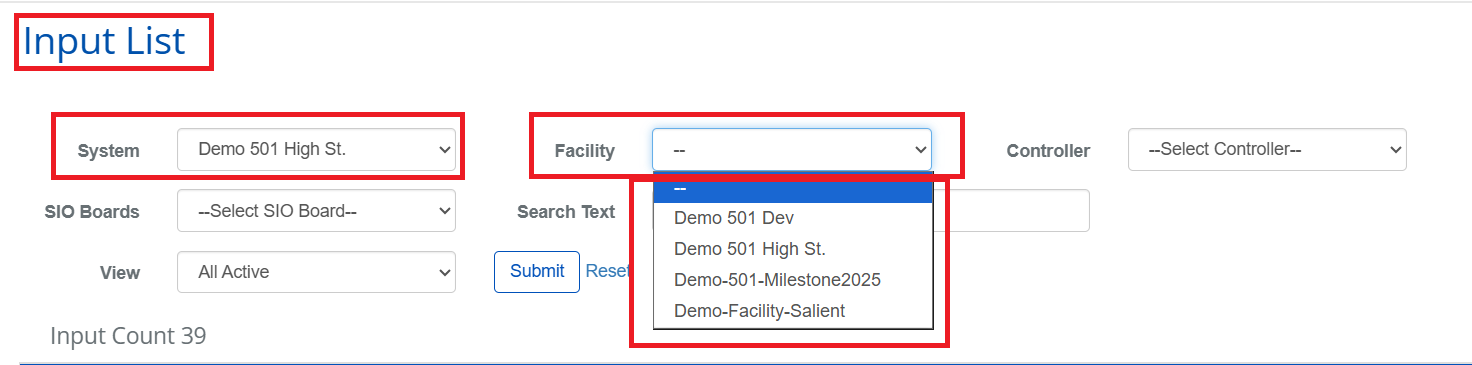
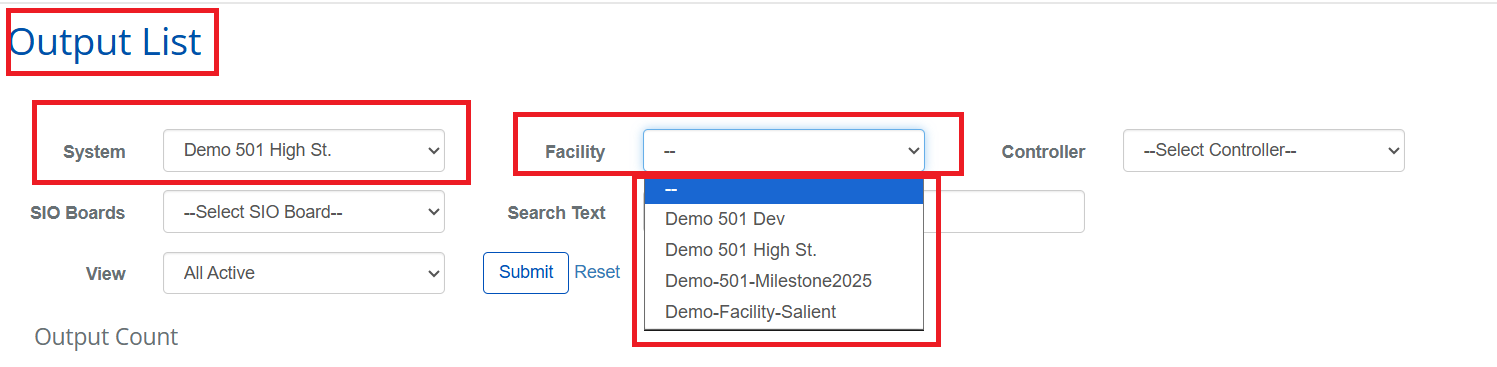
Added a Facility filter to the Controllers, Readers, Inputs, Outputs, and Portals pages.
-
Users can now filter configuration records by facility based on their view permissions.
-
Added support for Facility-based filtering and cascading with existing System, Controller, and SIO Board filters.
-
Facility selections are retained while paging and can be reset along with other filters.
-
Improved usability with alphabetical facility lists, localized labels, and clear handling when no matching results are available.
-
Existing filters and page functionality continue to work as before.
Controllers
Readers
Inputs
Outputs
Portals